



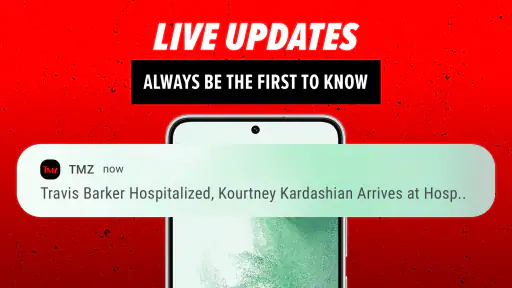




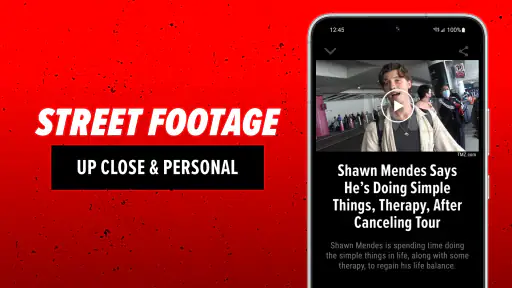
I use TMZ as a quick way to keep up with entertainment stories when I want the latest buzz without opening several different news sources. It is a free News & Magazines app from EHM Productions, Inc., focused on breaking celebrity and pop-culture coverage. My experience is that it works best as a fast, visual check-in rather than as a complete replacement for a broader news reader.
The app has been around since Mar 23, 2010, and its long presence is reflected in its audience: it has passed 1 million installs, with an average rating of 4.8 from around 84 thousand ratings. Those figures suggest that its straightforward approach suits many readers. Still, popularity does not make every part of the experience equally comfortable, especially if you need highly adjustable text, a calm reading environment, or carefully structured background reporting.
How TMZ handles readability and navigation
The first thing I notice is the app’s emphasis on immediacy. Stories are presented for quick scanning, which makes sense for entertainment news that changes throughout the day. I can open the app, look over the newest headlines, and decide within moments which items deserve attention. That is more convenient than searching through a general news app where celebrity stories may be mixed with politics, business, sports, and local reporting.
For readers who prefer short sessions, this layout is useful. I can check it while waiting for an appointment or during a brief commute, then leave without feeling that I have started a long reading task. The visual presentation also helps me recognize the subject of a story before committing to it. That can be helpful for people who find dense lists of text tiring or who make decisions more easily when headlines and images work together.
There is a trade-off, though. A fast entertainment feed can encourage skimming rather than careful reading. Headlines are designed to catch attention, and the most urgent or dramatic items naturally stand out. If I want a measured explanation of an event, a longer article from a specialist publication is often a better choice. I treat TMZ as the place where I discover what is being discussed, not automatically as the only place where I understand the full context.
Navigation is most comfortable when I already know what I want from the app: a quick look at current entertainment coverage. Someone who prefers a quiet, highly organized reading list may find the experience less satisfying than a conventional news aggregator. Those alternatives are generally better for combining multiple publications, saving a carefully arranged reading queue, or separating topics into detailed categories.
One practical habit improves the experience: I avoid opening every headline in sequence. Instead, I scan the feed first, select only the stories relevant to me, and read those fully. This reduces visual fatigue and keeps the app from turning a short news check into an endless stream of attention-grabbing items. It is a small change, but it makes the app feel more like a tool and less like a constant interruption.
Text, contrast, and attention demands
People with different reading abilities may respond differently to the same design. A user with good vision who likes image-led browsing may find the presentation easy to approach. Someone with low vision, dyslexia, or sensitivity to crowded screens may need more control than the app itself provides. In those cases, the phone’s own display settings, text enlargement, contrast options, and screen reader tools become important parts of the experience.
I would not choose this app solely because I need extensive in-app accessibility controls. The current version is 3.35.0 and supports devices running Android 7.0 or later, but compatibility does not by itself tell me how every element behaves with a particular assistive setup. If you depend on a screen reader, large text, or strong contrast, I would test a few article cards and a full story before making it your main news source.
That test is especially worthwhile because entertainment feeds often combine text, photographs, labels, and changing content. A screen reader user may prefer a publication whose article structure is consistently simple and whose controls are easy to identify in sequence. A reader with attention difficulties may appreciate the short, focused stories but dislike the rapid flow of new items. The same app can therefore be accessible enough for one person and frustrating for another.
The most useful accessibility strategy is to adjust the phone before judging the feed. Increase text size only as far as remains comfortable, try a stronger contrast setting if headlines blend into the background, and use the device’s spoken-content tools when reading for long periods. These changes cannot fix every design limitation, but they can make short visits much easier.
Using the app in everyday situations
My favorite use case is a two-minute update. Suppose I am making coffee before work and want to know whether a major celebrity story is developing. I open TMZ, scan the newest items, read one or two articles, and close it. That is where the app feels most natural: it removes the need to assemble a custom entertainment-news routine from social media accounts, browser searches, and several magazine apps.
It is also useful when I am already following a public event and want a quick entertainment-focused angle. The app keeps the subject matter narrow enough that I do not have to filter unrelated headlines. For a reader who follows celebrity culture, television personalities, music news, or high-profile public moments, that focus can save time.
Situational access is more complicated when I am in a noisy place, dealing with poor lighting, or trying to conserve attention. Reading a visual news feed while walking is unsafe and uncomfortable, so I would wait until I can stop. In bright sunlight or on a small phone, photographs and headline text may be harder to interpret. At night, the emotional intensity of breaking celebrity coverage can also make the app feel more stimulating than a calmer magazine-style reader.
For commuters, the best approach is to load the app when stationary and read only a few selected items. I would not depend on it as an audio-first news service unless the phone’s own accessibility tools make that workflow comfortable. People who want hands-free news, detailed audio controls, or a carefully paced daily briefing may be better served by a podcast app or a news service built around spoken summaries.
Parents and younger readers should also notice the Teen content rating. That makes it unsuitable as an automatically unrestricted reading choice for children. Entertainment reporting can involve adult relationships, controversy, legal disputes, and emotionally charged subjects, so I would not hand it to a child without considering the individual stories and the family’s expectations.
Where it fits beside other news options
Compared with a general news aggregator, TMZ is more focused and faster to browse for entertainment topics. I do not have to build a celebrity section from a broad collection of sources. Compared with social media, it offers a more direct reading path: I can go to the app for entertainment reporting instead of navigating posts, comments, reposts, and unrelated recommendations.
Social media still has an advantage when I want live reactions or a wide range of viewpoints. A newspaper or specialist magazine is usually stronger when I want background, verification, and a slower explanation. A podcast is preferable when my eyes are occupied. TMZ occupies the middle ground: quicker and more focused than a traditional publication, but less comprehensive and less personally configurable than a full news system.
That distinction matters when deciding whether the free price is right for you. There is little risk in trying it as a supplementary source, but “free” does not mean it will replace every other reading habit. I would keep a broader news source for context and use this app when entertainment updates are the specific reason I am opening my phone.
Motor and sensory considerations
From a motor perspective, short browsing sessions are easier than long, precise tasks. I can select a story with a normal tap and move through the feed without learning a complicated workflow. That simplicity helps when I am using one hand or have limited time. It also means the app is approachable for people who do not want a large set of controls competing for attention.
However, a feed built around repeated tapping and scrolling may still be tiring for users with tremors, limited dexterity, or difficulty maintaining accurate touch targets. I would use the phone’s touch-and-hold timing, interaction assistance, or alternative input options where available. If accidental taps are common, reading fewer stories per session is more practical than trying to force a long browsing session.
For sensory needs, the main consideration is stimulation. Breaking entertainment news often relies on striking images and urgent wording. That can be engaging, but it may be too intense for someone who is sensitive to visual clutter, dramatic framing, or rapidly changing information. I find it easier to use when I decide in advance how long I will browse and stop after the stories I actually came to read.
People with hearing loss should not assume that every part of the experience depends on sound, because the core activity is reading. People with visual impairments, on the other hand, should evaluate the app with their preferred spoken-navigation setup before relying on it. The practical question is not whether the app is labeled accessible; it is whether the combination of its article layout and your device settings lets you identify a story, open it, and return without confusion.
Remaining barriers and who should skip it
The biggest limitation for me is editorial depth. TMZ is excellent at giving me a quick sense of what entertainment story is attracting attention, but I do not use it as my final authority for complicated subjects. If a story involves allegations, legal matters, or a developing situation, I look for additional reporting and distinguish a headline from a complete account.
That extra step is particularly important for readers who may take concise wording literally or who need extensive context to interpret a story. The app’s speed is a strength, but speed can leave less room for nuance. A reader who wants source-heavy journalism, long interviews, or a broad international news mix should choose a different primary app.
Another barrier is the possibility of distraction. If I open the app without a clear purpose, I can easily move from one headline to another and spend more time than planned. This is not unique to entertainment news, but the narrow focus makes the stream especially easy to browse continuously. Setting a personal limit, such as checking only during a break, keeps the app useful without letting it dominate the day.
I would also skip it if my priority is extensive personalization for accessibility. Device-level tools may help, but readers who require carefully designed text controls, predictable article structure, or a fully customizable reading mode should investigate an app built around those needs. Likewise, anyone looking for local reporting, financial news, science coverage, or a balanced all-purpose briefing will find the subject range too narrow.
On the other hand, I would recommend trying it if you want entertainment news in a compact format, dislike sorting through social feeds, and are comfortable supplementing quick updates with other sources. The app is especially convenient for people who want to check celebrity coverage in short bursts rather than subscribe to a complete magazine routine.
My inclusive verdict on TMZ
TMZ is at its best as a focused, quick-access entertainment reader. I like it for short updates, visual scanning, and the convenience of having celebrity coverage in one place. Its free availability, established audience, and Teen rating make it easy to consider, while support for Android 7.0 and later keeps it usable on a range of older devices.
My recommendation comes with a clear boundary: I would not present it as a universal news app or as a guaranteed fit for every accessibility need. Readers who need calm presentation, deep context, hands-free listening, or highly adjustable reading controls may prefer a broader publication, an aggregator, or an audio service. Those who are sensitive to sensational coverage should also use it deliberately rather than treating the feed as background noise.
For me, the fairest way to use it is as one layer in a personal news routine. I check it when I want to know what is happening in entertainment, verify important claims elsewhere, and use my phone’s accessibility settings when the screen or reading pace becomes uncomfortable. If that matches the way you consume celebrity news, this app is a convenient choice. If you need comprehensive reporting or a quieter, more controlled reading environment, another option will serve you better.


